Business Photography Checklist: Essential Shots for Your Brand
Choosing the right website platform is crucial for your business’s success. Before exploring platform options, it’s crucial to understand what your website needs to achieve. Let’s break down the main factors that will guide your decision.
April 24, 2025 ·
7 min read
🕐 7 min read
Want your brand to stand out? Start with professional photography. High-quality visuals can increase sales by 30%, boost engagement by 650%, and attract 94% more views compared to content without images.
Product Photos: Clean, well-lit images with multiple angles and scale references.
Team Headshots: Consistent backgrounds, lighting, and updated yearly.
Workplace Shots: Show your office, processes, and team collaborations.
Customer Experience Photos: Real customers using your product or service.
Quick Tips: Use soft lighting, follow the Rule of Thirds, and edit for natural results. For digital use, optimize file sizes and adjust for platform-specific dimensions (e.g., Instagram: 1080x1080px). Consistency in style across all visuals builds trust and recognition.
This is a great example how toget some well done headshots.
The 4 Core Business Photo Types
1. Product and Service Photography
Clear, professional product and service photos are crucial for boosting sales. Research shows that 67% of shoppers say image quality is “very important” when deciding what to buy.
Key tips for product photography:
Use soft, even lighting to reduce harsh shadows.
Take multiple angles – front, side, and close-up detail shots.
Stick to clean, uncluttered backgrounds.
Add scale references when needed to show size.
For example, Warby Parker improved online sales and engagement by using 360-degree product views and lifestyle images.
2. Staff and Executive Headshots
Professional team photos help establish credibility and make your brand feel approachable.
To ensure consistency in headshots:
Pick a uniform background, like plain white or branded colors.
Use the same lighting setup for all photos.
Set clear dress code expectations.
Frame shots consistently (shoulders up with a slight angle).
Update photos yearly to keep them relevant.
3. Work Environment and Process Photos
Showcasing your workspace and daily operations adds authenticity and builds trust. These photos can highlight:
Team collaboration and brainstorming sessions.
Your everyday workflows and processes.
Office layout, tools, and amenities.
Special events or company traditions.
Candid shots of meetings or team activities can provide a behind-the-scenes look at your company culture.
4. Customer Experience Photos
Photos of real customers using your product or service can bring your brand to life.
For effective customer experience photos:
Include actual customers, not actors.
Capture genuine emotions and interactions.
Highlight moments where problems are solved.
Feature a diverse range of customers achieving results.
For instance, a fitness app might showcase users tracking progress, group workouts, before-and-after transformations, or customers sharing testimonials.
Once you have these core photo types, focus on technical details to ensure they stand out.
Photography Skills and Methods
Learn these technical basics to take your photos from ordinary to outstanding across the main photo types.
Light and Composition Guide
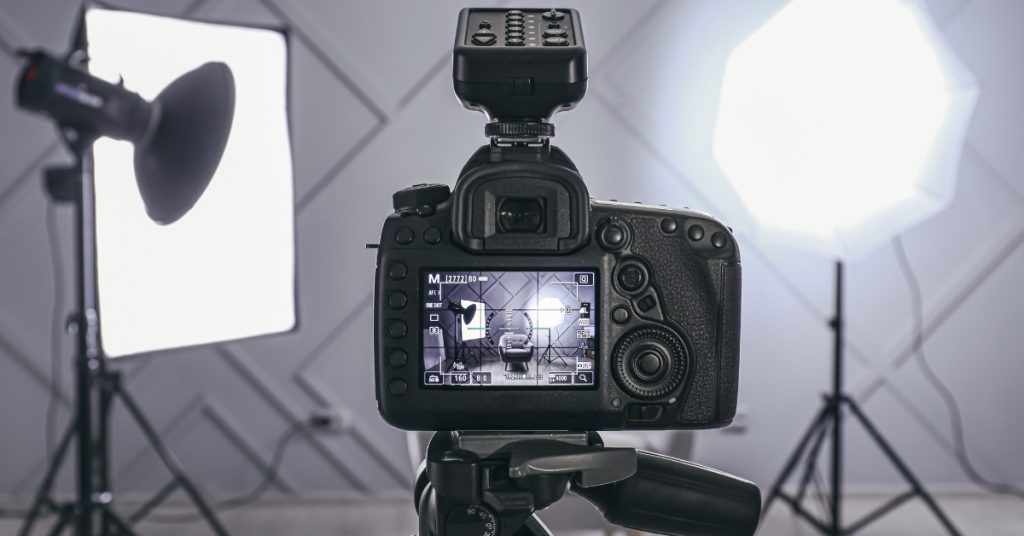
Good lighting is key to making your photos look polished and professional. A three-light setup – main, fill, and back lights – creates balanced illumination without harsh shadows.
“Create depth without harsh shadows”, says professional photographer Krisztina Vagreti.
For better compositions, try these time-tested techniques:
Use the Rule of Thirds grid to frame your shots
Add leading lines to direct the viewer’s eye
Experiment with symmetry and patterns for visual appeal
Adjust the depth of field to highlight your subject
Basic Camera Gear for Small Businesses
A 2023 survey by Photography Business Monthly found that small businesses usually spend $1,500–$2,500 on their first photography setup. Here’s a breakdown of what you’ll need:
With this gear, focus on preparation to get the best results.
Photo Setup and Editing Steps
Preparation is everything. Photography expert Krisztina Vagreti explains:
“Spend at least 30% of your time planning, surrounding, and setting up. This approach consistently yields better results”.
When it comes to editing, prioritize these adjustments:
Basic Edits: Fix exposure, white balance, and contrast
Targeted Tweaks: Sharpen details, reduce shadow noise, and make small retouches
According to Adobe’s 2023 Creative Trends Report, 78% of businesses prefer edits that improve photos while keeping them natural-looking. This matches the trend of using authentic images to connect with audiences.
If you’re using a smartphone (the primary tool for 62% of small businesses), enable grid lines and HDR mode for better results. Modern smartphones can produce platform-ready images when used wisely. This aligns with the earlier stat showing a 94% increase in views for optimized visuals.
Digital Photo Preparation
Once you’ve edited your photos to perfection, it’s time to prepare them for digital use. Here’s how to get it right:
File Types and Size Guide
Choosing the right file format is crucial for digital photo optimization. JPEG is ideal for most business photos, while PNG works best for graphics with text or transparency, like logos.
Image Type
Recommended Format
Ideal File Size
Best Use Case
Product Photos
JPEG
50-100KB
Website, social media
Team Photos
JPEG
100-200KB
About pages, profiles
Logo/Graphics
PNG
15-50KB
Headers, icons
Print Materials
TIFF
2-10MB
High-res marketing
For web use, aim for images that are 1000-2000 pixels on the longest side. This ensures sharp, professional-quality visuals while keeping load times fast.
Platform-Specific Photo Sizes
Always save a high-resolution master image, then adjust for specific platforms to ensure everything looks polished.
Platform
Post Type
Dimensions
Aspect Ratio
LinkedIn
Company Banner
1128 x 191px
5.9:1
Instagram
Square Post
1080 x 1080px
1:1
Facebook
Shared Link
1200 x 630px
1.91:1
Website
Main Banner
1920 x 1080px
16:9
Photo Style Guidelines
Consistency in photo style is key to building strong brand recognition. Stick to the sRGB color profile for uniform colors across devices. To maintain a cohesive look, create a style guide that outlines:
Color Temperature: Define a Kelvin range for indoor and outdoor shots.
Contrast Levels: Set standard contrast settings that align with your brand’s aesthetic.
Background Styles: Specify approved backgrounds for product and team photos.
Lighting Direction: Establish consistent lighting setups for different photo types.
For file organization, use a structured naming format like this: [Date]_[Category]_[Description]_[Version]. This keeps your files easy to find and manage.
Conclusion: Building a Strong Visual Brand
A thoughtful approach to business photography can make your brand stand out. Studies reveal that companies with consistent visuals see a 33% boost in revenue compared to those with inconsistent branding.
Standardizing your photography – like using consistent lighting, composition, and color grading – can deliver real results. For instance, businesses that prioritize this have reported a 28% increase in conversions.
By combining authentic workplace images with polished product photos, brands often see better engagement. Refreshing your visuals every quarter can reflect seasonal updates while keeping your core identity intact.
When planning your photography, aim for images that genuinely reflect your brand and connect with your audience. Stick to the technical tips and maintain consistent visuals across platforms to create a professional and impactful brand presence.