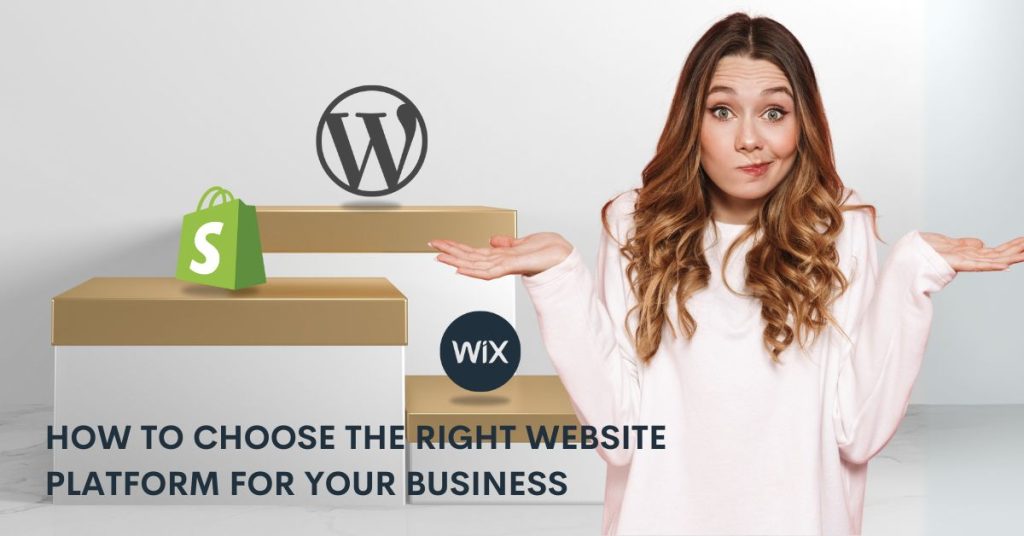
Choosing the right website platform is crucial for your business’s success. Here’s what you need to know:
WordPress: Best for blogs and content-heavy sites. Offers extensive customization but requires technical skills. Costs vary based on hosting, themes, and plugins.
Wix: Ideal for beginners and small businesses. Easy drag-and-drop tools with 800+ templates. Plans start at $17/month.
Shopify: Perfect for e-commerce. Built-in payment tools, inventory management, and scalability. Plans start at $29/month with transaction fees.
Quick Comparison:
| Platform | Best For | Key Features | Cost Range |
|---|---|---|---|
| WordPress | Content-heavy websites | Full customization | $5-$30/month+ |
| Wix | Small businesses | Drag-and-drop editor | $17-$35/month |
| Shopify | Online stores | E-commerce tools | $29-$299/month |
Key Factors to Consider:
- Your business needs (e.g., e-commerce, portfolio, blog).
- Technical skills and resources available.
- Budget for setup and ongoing expenses.
- Scalability for future growth.
Assessing Your Business Requirements
Before exploring platform options, it’s crucial to understand what your website needs to achieve. Let’s break down the main factors that will guide your decision.
Defining Your Website Objectives
Your website’s purpose should align with your business goals. Different platforms cater to specific needs:
- E-commerce: Platforms like Shopify are ideal, offering built-in payment processing and streamlined online store features.
- Portfolios: Wix is a great choice, thanks to its pre-designed templates and ease of use.
- Content-heavy sites: WordPress stands out for its high level of customization and ability to handle large amounts of content.
Evaluating Technical Skills and Resources
The technical expertise of your team plays a big role in platform selection.
- If your team lacks technical skills, prioritize platforms with:
- Drag-and-drop editors
- Ready-to-use templates
- Minimal coding requirements
- For teams with technical expertise, platforms like WordPress allow for deeper customization and advanced features, as previously noted.
Considering Budget Limits
Your budget will also influence your choice of platform. Key cost considerations include:
- Ongoing expenses: Hosting fees and regular maintenance costs.
- Add-ons: Premium themes, plugins, or apps that enhance functionality.
- Transaction fees: Payment processing charges, especially for e-commerce websites.
While WordPress might appear cost-effective initially, don’t forget to include hosting fees and premium plugin subscriptions in your calculations. Think about both your current needs and future growth when analyzing costs.
Factors to Consider When Selecting a Website Platform
Once you’ve listed your core requirements (from Section 2), it’s time to assess these important factors:
Ease of Use and Learning
Different platforms cater to varying levels of technical expertise:
- Wix offers a drag-and-drop interface, perfect for teams without technical skills.
- Shopify provides a guided dashboard tailored to e-commerce needs.
- WordPress features an admin panel that developers will find more flexible.
Pick a platform that aligns with your team’s technical abilities. This ensures smooth website management and reduces the need for extensive training
Scalability and Growth
Think ahead about how your platform will handle growth in these areas:
- Traffic Management: Platforms like Shopify automatically adjust server resources during traffic surges, keeping your site running smoothly.
- Feature Expansion: WordPress offers thousands of plugins, making it easy to add new features as your needs evolve.
- Data Management: For e-commerce, your platform must handle growing product catalogs and content efficiently.
Planning for growth now can help you avoid unexpected costs later, which we’ll dive into in Section 5.
SEO, Mobile Compatibility, and Security
- SEO Tools: Most platforms include optimization features. WordPress users can rely on plugins like Yoast, while Shopify has built-in SEO tools for product pages and content.
- Mobile Responsiveness: Top platforms ensure your site performs well on any device with mobile-first designs [3].
- Security Measures: Look for essentials like automated SSL, DDoS protection, and compliance features [3].
Comparing Popular Platforms: WordPress, Wix, Shopify

WordPress: Customization and Control
WordPress is an open-source platform that stands out for its high level of customization. It’s a great choice for content-focused sites like blogs or portfolios, but it does require more technical know-how compared to Wix or Shopify. This makes it a better fit for teams with access to developers or those comfortable with coding.
Analytics to ensure your site stays easy to use. Once your navigation is intuitive and functional, it’s time to focus on optimizing your site’s performance across all devices.
| Aspect | Details |
|---|---|
| Cost Structure | Varies: hosting ($5-30/month), premium themes ($30-100), plugins ($0-200/year) |
| Technical Requirements | Moderate to advanced technical skills needed |
| Best For | Blogs, content-heavy sites, custom business solutions |
| Customization | Extensive - full access to source code and 58,000+ plugins |
WordPress powers a wide range of websites worldwide, making it a go-to platform for diverse needs.
Wix: Simplicity and Speed
Wix is perfect for non-technical users who need a site up and running quickly. Its drag-and-drop builder and AI-powered design tools make it easy to create a professional-looking website without coding. With over 800 templates tailored to various industries, it’s a versatile option for small businesses, freelancers, and personal projects.
| Feature | Details |
|---|---|
| Setup Time | 2-4 hours for a basic site |
| Monthly Cost | $17-35 for business plans |
| Technical Skills | Minimal - great for beginners |
| Design Options | 800+ templates for different industries |
Wix’s AI tools can even design a personalized site for you in minutes, making the process almost effortless for a new user.
Shopify: Built for E-Commerce
Shopify is dedicated to e-commerce, offering a comprehensive solution for online stores. Its features are tailored to help businesses grow their sales and manage operations effectively. Whether you’re selling online, in-person, or both, Shopify’s tools make it easier to handle payments, inventory, and customer interactions.
| E-Commerce Feature | Details |
|---|---|
| Payment Options | Supports 100+ payment gateways |
| App Integration | Access to 8,000+ apps |
| Transaction Fees | 0.5-2%, depending on plan |
| Security | Includes SSL certificates and fraud protection |
Shopify also offers a unified reporting system that connects online stores with physical locations, making it a strong choice for businesses with both digital and in-person sales. It currently supports over 1.7 million businesses worldwide.
With these comparisons in mind, we can now delve into additional features and services to help you make the best choice for your needs.
Evaluating Additional Features and Services
Design Options and Customization
When exploring design features, focus on tools that align with your brand and improve the user experience. Different website platforms offer varying levels of design flexibility.
| Design Feature | WordPress | Wix | Shopify |
|---|---|---|---|
| Template Options | 58,000+ themes | 800+ templates | 100+ themes |
| Custom Code Access | Full access | Limited | Limited to themes |
| Mobile Responsiveness | Depends on theme | Built-in | Built-in |
| Design AI Tools | Via plugins | Native AI designer | Basic automation |
Finding the right balance between creative control and simplicity is crucial. Wix, for instance, uses AI tools to streamline design, making it a great option for those without technical expertise
Plugins and Integration
Shopify leads the pack with its app ecosystem, offering over 8,000 apps that cover everything from inventory tracking to customer service. These pre-tested integrations minimize technical headaches and ensure smooth functionality.
Key integration types to consider:
Finalizing Your Platform Choice
Testing Your Options
Make the most of free trials offered by platforms like Shopify (14-day trial) or Wix (free plan) to explore how their features fit your business needs. For e-commerce, try out payment processing and inventory tools. If you’re running a content-focused site, check mobile responsiveness and SEO features.
| Platform | Best For | Standout Feature |
|---|---|---|
| Wix | Freelancers, personal projects, services | AI-driven design assistance |
| Shopify | Direct-to-consumer brands, retail | Unified online/offline sales tools |
| WordPress | Media outlets, content-heavy websites | Full code control and flexibility |
Set up trial websites on 2-3 platforms you’re considering. This hands-on approach helps you see how they function in real-world scenarios and ensures the platform aligns with your operational needs and user expectations.
Evaluating Long-Term Costs
After testing, take a close look at pricing structures to see how they fit your budget now and in the future. Shopify, for example, offers plans starting at $29/month (Basic) up to $299/month (Advanced), with transaction fees ranging from 2.9% to 2.4% plus $0.30 per transaction. Don’t forget extra costs like apps, themes, or advanced tools.
Think about scaling costs too. If you’re starting small with Wix’s $14/month Combo plan, you might need to upgrade to the $39/month VIP plan as your business grows. Factor in additional expenses like domain names, SSL certificates, third-party apps, and any custom development you’ll need.
Aligning with Business Strategy
Cost isn’t everything – your platform should also support your long-term goals. Different businesses have different requirements, so pick one that matches your growth plans and customer base.
For example, if international expansion is on your radar, make sure the platform supports:
- Multi-currency payments
- Global shipping options
- International SEO
- Localized payment methods
Switching platforms down the line can be costly and time-consuming. Select a platform that can support your business for at least the next few years, accommodating growth in traffic, new markets, and changing customer needs.
| Platform | Trial Period | Test Features |
|---|---|---|
| WordPress | Free Open Source | Required Intallation and hosting |
| Shopify | 14 days | Full access to features, no credit card needed |
| Wix | Unlimited free plan | Basic features with hosting included |
| Squarespace | 14 days | Full feature access, templates unlocked |
When comparing platforms, keep these key factors in mind:
- Scalability and Team Skills: Think about your current technical know-how and whether the platform can handle your future growth.
- Total Costs: Factor in hosting, plugins, transaction fees, and any development expenses.
- Integrations: Check if the platform works smoothly with essential tools like payment systems, marketing software, and other business apps.
- Mobile performance and responsiveness
- SEO and marketing tools
- Security and compliance
- Support for international operations, if relevant
